Showing posts with label apps. Show all posts

Tuesday, February 26, 2013

MWC2013: Google Chooses Banjo App to Unveil Google+ Integration.

WorldWide Tech & Science. Francisco De Jesús.


MWC2013: Google Chooses Banjo App to Unveil Google+ Integration

New features showcase app's commitment to cross network discovery

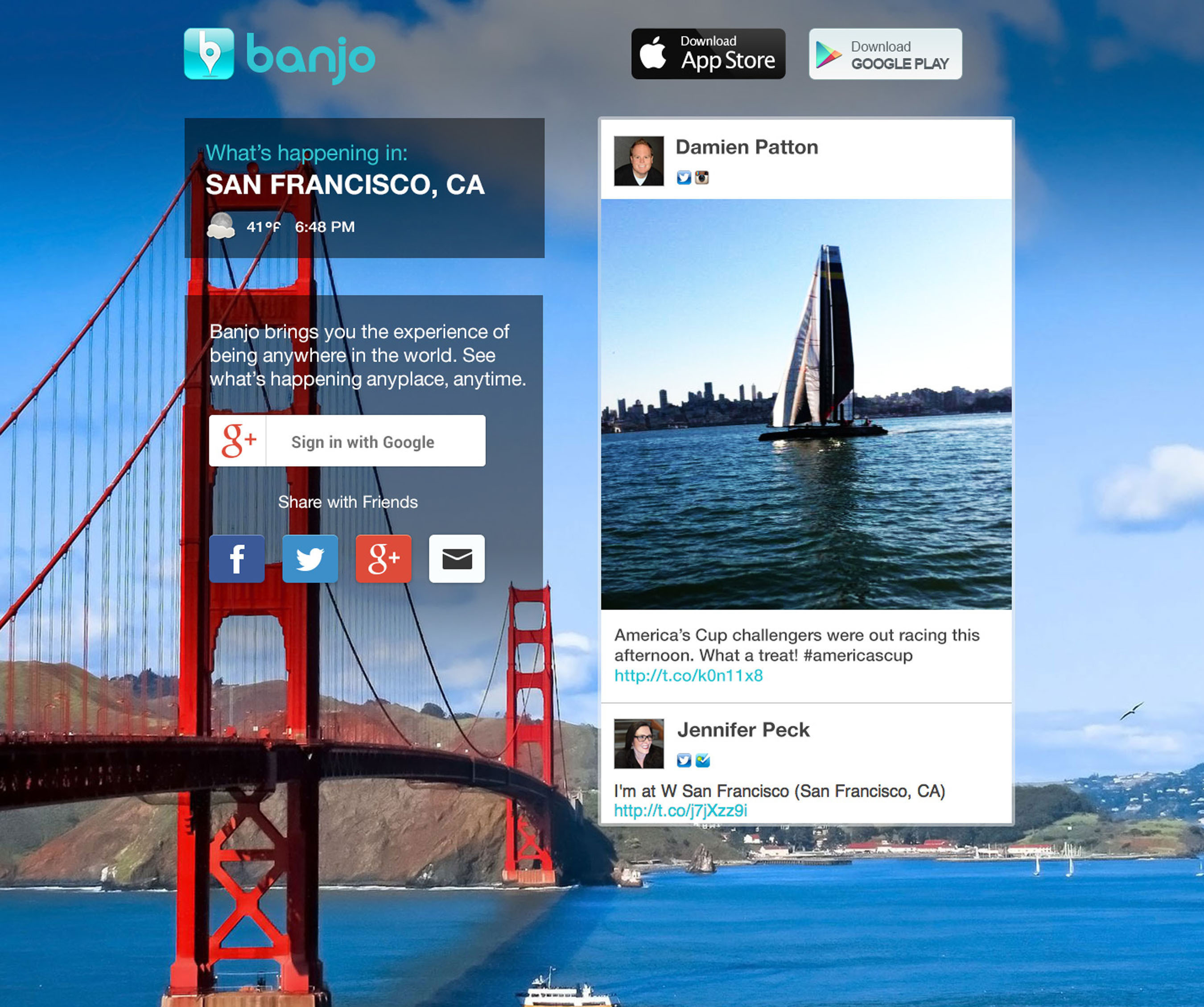
Banjo, the most versatile cross platform content discovery app introduces the latest addition to its real time roster. Google has partnered with Banjo to rollout and showcase them as one of their first mobile integrations of Google+ Sign-in.


BANJO GOOGLE+ INTEGRATION / Google Chooses @Banjo app to unveil Google+ Integration. (PRNewsFoto/Banjo)

BANJO GOOGLE+ INTEGRATION / Google Chooses @Banjo app to unveil Google+ Integration. (PRNewsFoto/Banjo)


"Integrating Google+ Sign-in with Banjo was seamless," said Damien Patton, Banjo Founder and CEO. "We worked with Google to push the envelope for what our Banjo audience can now do with the Google+ integration. We are also thrilled with Google's direct app install feature from the web. One of the hardest things for any mobile company is app discovery and this is a developer's dream."

By integrating Google+ and their ecosystem, Banjo creates a more interactive and real time social experience for millions of users around the world. Can't make the Super Bowl, World Cup, The Oscars, or Mardi Gras in person this Year? Experience it all on Banjo, the simplest, fastest, and most fun way to discover and share places & experiences around the world as they happen.

New Google+ Sign-In Features Include
  • The same level of security and privacy protection users have come to expect from Google
  • Interactive postings that deep link directly back into the application. Users can share real time content from an actual place or event.
  • Over the Air Install function allows Android users to download Banjo directly onto their device without having to access an app store.
  • Google+ Sign-in integration gives Banjo users additional login and functionality across Banjo's Android, iOS and web products.
About Banjo
Banjo provides real time content discovery by location across multiple social networks. From a mobile device, Banjo brings the experience of being anywhere in the world through the eyes of the people who are there. Banjo is available for free on Android, iOS and tablet in 14 languages. Learn more at http://ban.jo

SOURCE Banjo

Saturday, February 16, 2013

Wednesday, December 26, 2012

CES2013: NQ Mobile Security and Family Guardian Selected as Top 25 Apps in the 2013 Mobile Apps Showdown.


WorldWide Tech & Science. Francisco De Jesùs.       


NQ MOBILE INC. LOGO / NQ Mobile Inc. (PRNewsFoto/NQ Mobile Inc.)


NQ Mobile Security(TM) and Family Guardian(TM) Selected as Top 25 Apps in the 2013 Mobile Apps Showdown at CES.

Innovative apps selected as two of the few privacy and security apps in the Mobile Apps Showdown semifinals


NQ Mobile™ , the leading global provider of mobile Internet services, today announced that NQ Mobile Security and NQ Family Guardian have both been selected as top 25 apps at the Mobile Apps Showdown for CES 2013. The winners were selected by a panel of expert judges who have multiple years of expertise in reviewing products. Each product submitted gets a description on the website and the judges will also write reviews of the 25 semifinalists.

"We are honored that the Mobile Apps Showdown has chosen both NQ Mobile Security and NQ Family Guardian as top 25 apps for CES 2013," said Gavin Kim, Chief Product Officer, NQ Mobile. "Both NQ Mobile Security and NQ Family Guardian are truly innovative mobile apps that deliver cutting edge security solutions andprotection for families."

NQ Mobile's flagship application, Mobile Security, detects and deletes viruses, malicious URLs, and other threats. NQ Mobile Security has been proven by independent security lab tests, like West Coast Labs Comparative Test, to outperform all competitive mobile security platforms. NQ Mobile Security was also a top performer in effectiveness, with a 99 percent malware detection rate, in research conducted by AV-TEST Institute, a leading international and independent service provider in the fields of IT security and anti-virus research.

NQ Family Guardian's unique suite of services for safety and monitoring comprises a mobile app that is downloaded and installed on the child's smartphone along with a web-based control center that is accessible from any desktop or mobile browser. The app is currently available for Android devices, while the control-center is compatible with any web browser.

Key features for mobile management and protection include:
  • Browser Blocker: Safeguard children by blocking inappropriate websites
  • App Filter: Make smart choices about which apps children can access
  • Contact Filter: Help children fight spam text and harassing calls by adding numbers to their block lists
  • Schedules: Control children's mobile phone use by setting up times when they can unlock their phones to make calls, browse the Internet, text, and more
  • Monitors: Keep track of children's locations, messages, calls, browsing histories, app downloads, and photos
  • Geo-Fences: Set up a safe zone to for children and receive a notification when they're outside of this safe zone
  • Check-in: Get check-in messages when children arrive safely at their destinations. Also track their location if they forget to check in
  • Panic Alarm: If kids are in trouble, they can send an alert message to their parent's phone with their exact location
"As the world's largest provider of mobile security solutions, we are pleased to be recognized at the Mobile Apps Showdown for CES 2013," said Omar Khan, Co-CEO, NQ Mobile. "We will continue to create award-winning products, expand into new markets and celebrate victories like this in 2013, which demonstrate why we are a global leader in mobile security, privacy and productivity."

The NQ Mobile Security and NQ Family Guardian apps are available on the Google Play store along with NQ Mobile Vault™ for Android.

About NQ Mobile
NQ Mobile Inc. (NYSE: NQ) is a leading global provider of trusted mobile Internet services built on its world-class acquisition, engagement and monetization platform. The company was one of the first to recognize the growing security threats targeting smartphone users and now has about 242 million registered and 85 million active user accounts globally. NQ Mobile's cloud-based trust platform has been recognized by third-party testing facilities around the world as the most effective solution for detecting and combating mobile threats. NQ Mobile is recognized as a global pioneer in mobile innovation and technology leadership. NQ Mobile maintains dual headquarters in Dallas, TX, USA and Beijing, China. For more information on NQ Mobile, please visit http://www.nq.com.

About the Mobile Apps Showdown at CES
The Mobile Apps Showdown is a fast-paced contest where voters weigh in on the apps they think have what it takes to make it in the months leading up to CES. Voters can try the apps, watch demos, express opinions and ultimately vote on a winner. Mobile Apps Showdown is platform agnostic, so if it's mobile, it's in the competition. For more information, visit http://mobileappsshowdown.com/.

SOURCE NQ Mobile Inc.

Sunday, December 9, 2012

Gmail app update for Androids now available.


WorldWide Tech & Science. Francisco De Jesùs.


Gmail app update for Androids now available.


Description

Keep your conversations going, everywhere you go.

Gmail is built on the idea that email can be more intuitive, efficient, and useful. And maybe even fun. Get your email instantly via push notifications, read and respond to your conversations online & offline, and search and find any email.
Gmail also lets you:
• Manage multiple accounts
• View and save attachments
• Set up label notifications

What's New.

What's in this version:
Android 4.0 (Ice Cream Sandwich) and up:
• Auto-fit messages to screen and message zooming
• Swipe messages to archive or delete
• Attach photos and videos from within Gmail
• Larger photo previews and gallery view for photo attachments
• Bug fixes and performance improvements
Android 2.2 and up:
• New Labels API for 3rd-party app developers
• Performance improvements
UPDATED:
CURRENT VERSION:
Varies with device
REQUIRES ANDROID:
Varies with device
CATEGORY:
Communication

Download: GooglePlay

Saturday, November 17, 2012

RIM to launch BB10 smartphones in Jan 30 with business, gaming and social apps.


WorldWide Tech & Science. Francisco De Jesùs.


logo
RIM to launch BB10 smartphones in Jan 30 with business, gaming and social apps.

RIM has already said it plans business focused apps from the likes of Cisco WebEx, Box, SAP and Blackboard, as well as music and movie apps like TuneIn, Nobex and Popcornflix and gaming apps from developers like Gameloft, Halfbrick and Paw Print Games.

In an interview with Reuters on Wednesday, RIM Chief Executive Thorsten Heins has said social networks such as LinkedIn, Foursquare, Twitter and Facebook will all have apps for BB10 at launch. But he declined to name any of the other big name apps that RIM will have on board come launch day.

"Allow me to talk to you about this on January 30, otherwise I'm losing a lot of thunder," he said.

BlackBerry 10 devices are set for launch on January 30, and targeting applications to customers in various regions.


Monday, March 19, 2012

The New iPad: Developers rush to upgrade apps.

WorldWide Tech & Science. Francisco De Jesús.

The New iPad: Developers rush to upgrade apps.


Apple developers are “working overtime” to update their apps to take advantage of the new features in the latest iPad, reports USA Today. The new device – which has just gone on sale in ten global markets – offers a dramatically improved display, faster processing, improved HD video and LTE connectivity.


"Our designers and animators are working day and night to optimise our apps," Nicholas Callaway of Callaway Digital Arts told the newspaper. He added that the firm has redesigned two of its most popular apps, featuring Martha Stewart and Sesame Street characters, to take advantage of the new iPad’s sharper display.

Epic Games president Mike Capps also talked up the new improved display, describing it as comparable to high-end gaming consoles such as the Microsoft XBox 360 and Sony PlayStation 3. "We can achieve a level of realism and detail that has never been seen on a mobile device, or honestly, on any widely available television," he said.

Epic Games is working on upping the resolution of images from its best-selling game Infinity Blade II with an updated version reportedly due “very soon.”

The new third-generation iPad uses Apple’s A5X processor with what the company calls “quad-core graphics" to support the high-definition Retina display. The A5X provides double the graphics performance of the iPad2’s A5. The display has 3.1 million pixels, four times the number of pixels seen on the iPad2.

Wednesday, December 7, 2011

Stanford University and HP webOS go where no computer has gone before.

WorldWide Tech & Science. Francisco De Jesús.


 HP with webOS is not stopping on developing the worlds future with innovate applications.

From de HP webOS Developer Blog:


We all know mobile technology is revolutionizing our personal and professional lives. But it’s also transforming the field of medicine in new and exciting ways.

Magnetic Resonance Imaging (MRI) is an advanced technology that collects and analyzes detailed images and 3D renderings of the body’s internal organs and structures without exposing patients and doctors to dangerous radiation as X-Rays do. The greater safety of MRI has made possible an exciting new field called Interventional Radiology, which involves a doctor actually working on a patient with a real-time view of the patient’s insides.

There is one catch, however: the incredibly powerful magnets used by MRI scanners make the use of regular metal-filled computers impossible. However, Dr. Andrew B. Holbrook, a Research Associate at Stanford University, realized that an HP TouchPad could, with some modifications, be made non-metallic enough to go where no computer has gone before: into the MRI chamber!

MRi and the TouchPad

The Magic of MRI

We all know mobile technology is revolutionizing our personal and professional lives. But it’s also transforming the field of medicine in new and exciting ways. Magnetic Resonance Imaging (MRI) is an advanced technology that collects and analyzes detailed images and 3D renderings of the body’s internal organs and structures without exposing patients and doctors to dangerous radiation as X-Rays do. Besides simple images of anatomy, MRI can be used for imaging of brain function (functional MRI), blood flow, or even temperature rises (MR thermometry).

While MRI has existed as a diagnostic tool for decades, it is increasingly being used collaboratively with therapy. This emerging field, called Interventional MRI, often involves a physician or team of physicians that are treating the patient directly in the scanner. One example, MRI guided High Intensity Focused Ultrasound (MR-HIFU), involves focusing ultrasound energy deep inside the body, heating tissue at this focus while sparing other tissue along the way. For MR-HIFU, these procedures proceed entirely within an MRI scanner; as the therapy proceeds and part of the body is heated, MRI and MR thermometry is used to monitor the procedure.

Interventional MRI, as a technological procedure, basically spawned from diagnostic MRI, although the workflow of an interventional scan is quite different from a diagnostic scan. Physicians need to be able to control scanning and various aspects of the procedure. However, MRI has one very distinct operating condition compared to other medical imaging modalities: it exists in a highly magnetic field. Most clinical systems operate today at magnetic fields of either 15000 or 30000 Gauss, or 30000 to 60000 times the Earth’s normal magnetic field strength.

The strongly magnetic field can be a danger to devices: a traditional computer could have its hard disk wiped. Even more risky, a device can be a danger to a patient: a device can contain enough magnetic components in a strong enough magnetic field, actually becoming a projectile and shooting towards the center of the magnet. Finally, the device can be a danger to the images: a traditional computer can cause so much interference with the MRI equipment as to effectively render the scan useless.

Currently the only electronic devices that can be used are bulky, specially-made equipment that are heavy on shielding and light on functionality, or ones that are kept far away from the magnet. Being able to have devices that give physicians access and control of these interventional procedures is a priority for improving them and advancing patient care.

Enter webOS

Andrew B. Holbrook, a Research Associate working with Professor Kim Butts Pauly of the Lucas Center in the Department of Radiology at Stanford University, has been developing a promising solution built around connected HP webOS devices that can help take Interventional MRI to the next level. When it comes to devices that exist in magnetic fields, the more plastic and less metal the better! Even non-magnetic metal devices, such as those with aluminum, can be difficult to use in magnetic fields.

The TouchPad, a device primarily constructed of plastics and minimal glues was an excellent choice to start with. Dr. Holbrook made some warranty-voiding adjustments to his TouchPad, removing metallic components such as the vibration motor and speakers. While we at HP normally don’t encourage this, we were excited by Dr. Holbrook’s work and brought in TouchPad hardware engineers to assist in the modification process. With this, he had a minimally metallic device that could be used almost anywhere within the magnet room.

With the TouchPad functioning in the field, Dr. Holbrook constructed a system consisting of a high-powered PC server in a “MR-safe” location that interfaces both with the MRI scanner and with TouchPads onsite that are running a suite of hybrid-PDK apps written by Holbrook to observe and manipulate data.
In this example, Holbrook built an app to control an InSightec ExAblate Conformal Bone Systen HIFU transducer to run an ultrasound test commonly run in the scan room. “Before this,” says Holbrook, “we'd either have a very clunky in-room display with ten keys to control things, or one person would be in the magnet room holding the transducer in place, and another would run the test and interpret the results from afar. With this, I can connect to the transducer, prescribe the test, run it, and then view the data after it was run—all without leaving the transducer's side.”

Holbrook could also take advantage of the best-in-class multitasking in webOS to simultaneously run this app while getting a view of the activity in the respiratory monitoring (bellows) app next to it. The bellows app, shown below, shows how a patient is breathing as they are lying on the MRI table. Even though respiration information and the HIFU information came from separate parts of the MRI suite, both could now be monitored on Holbrook’s portable webOS device.
Besides these two support applications, Dr. Holbrook also created MRI applications that allow scanning in the magnet scan room. Using a platform called RTHawk, a real time MRI control system for GE scanners, he has created apps for controlling slice positioning in MRI scans, as well as MRI scan parameter adjustment, no matter where the user is: in the magnet room or outside. The interface makes use of various features of the TouchPad for MRI control, including multi-touch gestures and even the volume keys for controlling image positions. Such technology has multiple uses, like controlling scans while tracking an implanted device, for example, or even allowing a radiologist to scan in the room, next to the patient.

Beyond the TouchPad

Besides creating applications for the TouchPad, Dr. Holbrook has even begun porting some of his apps onto webOS phones! By creating smaller form factor MR-safe devices and developing applications, such as respiration monitoring, technologists could have more information at their fingertips when setting up scans.
This is the respiratory monitoring application developed for the HP/Palm Pixi Plus. “The Pixi Plus, while an older device, has been the ‘best’ HP device for use in the magnet space. I could take it into the center of our magnet bore, at 30000G, and still have internet functionality:”
“Furthermore, I was very surprised how backwards-compatible webOS was. Aside from one technical bug in my application, which the Dev Community was very helpful in working around, it was extremely easy to compile my webOS 3.x tablet apps to webOS 2.x and 1.4.5.x phones.”

Why webOS?

Dr. Holbrook had many options for choosing both the hardware and software components before embarking on this project. “From a hardware and software perspective, I started with webOS devices for a few reasons. First, I perceived the TouchPad to be easily modifiable, given its mainly plastic frame, absence of glue, and non-reliance on magnets (ie for charging). Second, the webOS interface seemed the most advanced. The card browsing for example, allows for very easy and intuitive control of the various systems of an interventional procedure. Finally, developing is in JavaScript and C++. Those are languages in which I already had some experience.

“From a developer perspective,” he continues, “[HP] webOS has been extremely helpful both officially and unofficially, from answering questions related to the SDK, questions related to the hardware, and finding other webOS contacts, like with the Preware community for solving issues, beyond those that HP could officially help with.” Of course, Stanford and HP both being located in Silicon Valley helps make collaborations easier, too! Indeed, this is just the latest in a long history of collaborative efforts between the people at Stanford and Hewlett-Packard.

Conclusion: The Future

Dr. Holbrook sees continued opportunity for MRI projects in the webOS platform. For diagnostic imaging, his hope is that mobile devices like webOS phones and the TouchPad can lead to both workflow and patient management improvements. For interventional MRI, Dr. Holbrook wants to continue to develop applications that will aid in the multi-tasking common in these procedures. The webOS Enyo SDK enables developers like him to rapidly create custom and intuitive user interfaces.

He has further plans for incorporating webOS devices into interventional procedures, and hopefully will start integrating webOS devices into Stanford Radiology clinical trials in the very near future. We will be following Dr. Holbrook’s exciting progress and keeping you updated!


Wednesday, July 20, 2011

Building world-ready webOS 3.0 applications.

WorldWide Tech and Science. Francisco De Jesús.

From the Palm Developer Blog.

Posted: 19 Jul 2011 11:18 AM PDT
The HP TouchPad with webOS 3.0 and the Enyo application programming framework bring significant opportunities for developers to leverage web standards for building great mobile applications and services.  The growing availability of the TouchPad in countries outside North America means that developers like you will be able to bring their content to an expanding global audience.  For the greatest opportunity to reach the widest consumer audience possible, it’s thus beneficial to ensure that your applications are available in the native languages of your target market countries.


The Enyo application programming framework makes it very easy to localize your applications.

Sample Application

Included with this article is a sample Enyo application that demonstrates some of the key features and capabilities of the Enyo localization libraries.  While it doesn’t cover every single detail of the framework, this sample application should get you started with the most essential elements of building webOS 3.0 applications for the global market.  A screen shot of the application is shown below.

The full source code for the sample application can be found here:
Sample Application Source Code

The g11n library

Enyo’s globalization support is implemented in the g11n library.  This library includes g11n-base, which defines core globalization features, including locale, Enyo kinds for formatting dates, times, numbers and the like, and resources.  g11n also contains libraries for parsing and formatting addresses, phone numbers, and names.


As the concepts of locale and resources are fundamental to localizing any application, let’s start with these topics.

Locale

Simply put, a locale is a set of information that describes the language and country that determine the user interface of a device and its applications.  A locale is primarily used to determine how textual information is to be displayed, such as which translations of text strings to use, how dates and currencies are to be formatted, and the like.  Locale can also be used for non-textual information, such as default paper sizes for printing utilities and determining standard photo sizes for imaging applications.


In Enyo applications, a locale is defined with a specification string in the following format:
  [language][_region][_variant]

The language is a two-letter language ISO 639 language code, such as en for English, es for Spanish, fr for French, and so on.  The region value is a two-letter ISO 3166 country code.  Together, the language and region codes can thus specify country or regional variants of the same primary language.  


Typical cases are European vs. Canadian French (represented as “fr_fr” and “fr_ca”, respectively,) or European vs. Americas Spanish (represented as “es_es” and “es_us”, respectively.) The variant qualifier can be any ASCII string of characters (except for spaces and underscores) that further differentiates languages.  These are not used as commonly as language and variant, and generally localized applications are limited to these.


In Enyo, a locale is represented by an instance of the enyo.g11n.Locale kind.  You create an instance by passing a locale specification string.  For example, to create a US English locale:
var myLocale = new enyo.g11n.Locale(“en_us”);

Current  Locale

An Enyo application can read the locale currently in use by the host device by calling the currentLocale() method:
var currentLocale = new enyo.g11n.currentLocale();

The return value is an enyo.g11n.Locale instance that contains the details about the current locale.  The locale details can be read using value methods defined by the Locale kind.  For example, the full locale specification string can be read using the getLocale method:
var locale_spec = currentLocale.getLocale();

If the device’s current locale was Canadian French, locale_spec would contain the string “fr_ca.”  Other methods can be used to parse out the locale details, such as getLanguage, getRegion and getVariant.

Resource Files

Applications use locale to help localize their user interfaces for the language and culture of their users.  The biggest component of application localization is displaying strings in the right language, and possibly, regional dialect.  A localized application thus needs to include a set of translated strings for all user interface text in each of the languages supported by the application.


In Enyo, these strings are packaged with the application as one of more resource JSON files.  These files use the naming convention language_variant.json.  For example, an application might contain the file es_us.json to store Spanish strings:
{
  "Hello":"Hola",
  "Goodbye":"Adios",
  "Choose A Language":"Elige un idioma"
}
Each line of an Enyo resource JSON file contains an English string followed by the translated equivalent.  The files are stored in a folder named “resources” right under the application root folder.  


Resource JSON files need to be saved in UTF-8 format for any special characters in the translated strings to render properly.  Also, note that the byte order marker at the beginning of UTF-8 files can confuse the g11n resource loader.  Some editors, like Notepad++, include the byte order mark when saving UTF-8 files.  Editors like Sublime Text and Eclipse do not, so you might want to use one of these for creating your resource files.


Resources can then be loaded for use in the application using the enyo.g11n.Resources kind:
var resources = new enyo.g11n.Resources(locale);

The locale argument can either be a Locale instance, or a JSON formatted locale specifier, such as:
var resources = new enyo.g11n.Resources({locale: "es_us"});

Now let’s take a look at where the rubber hits the road, specifically how to load individual localized strings into your Enyo application.

The $L Function

The Enyo g11n library defines a global function, called $L, which is used to load localized resource strings.  This function takes one string argument.  The function will load the corresponding translated resource string in the resource JSON file corresponding to the default device locale.  If there is no such resource string, $L returns the string argument unchanged.  For example, if the default locale is es_us, using the example es_us.json file above:
var helloString = $L("Hello");
would return the string “Hola.”

In addition to the global $L function, enyo.g11n.Resources also defines a $L method.  This works the same way as the global version in that it loads the specified localized string.  However, the string that is returned is the version from the resource JSON file used to create the Resources instance.  Thus an application that lets the user change language can load the right resource strings at runtime:
enyo.kind({
  name: "MyApps.MainView",
  kind: "enyo.Control",

    components: [
      {content: "Your String Here", name: "locstring"},
      {kind: "Picker", name: "languagePicker",
        label: "Device Default", value: "0", items: [
         {caption: "Device Default", value: "0"},
         {caption: "English", value: "en_us"},
         {caption: "Spanish", value: "es_us"},
         {caption: "French",  value: "fr_fr"},
         {caption: "Canadian French", value: "fr_ca"},
         {caption: "German", value: "de_de"},
         {caption: "Italian", value: "it_it"},
         {caption: "Turkish", value: "tr_tr"}
     ],
  onChange: "onLanguageSelected"
}],

onLanguageSelected: function(inSender) {
  var selectedLanguage = inSender.getValue();
  var currentLocale;
  var localizedResources;

  if (selectedLanguage === "0") {
    currentLocale = enyo.g11n.currentLocale();
  } else {
    currentLocale = new enyo.g11n.Locale(selectedLanguage);
  }

  localizedResources = new enyo.g11n.Resources(currentLocale);
  this.$.locstring.setContent(localizedResources.$L("Hello"));
  }
});

Formats

Text strings are not the only things that need to get localized in a world-ready application.  Many other things like dates, numbers, currency values, and even paper sizes are dependent on locale.  Enyo provides a set of kinds for formatting such values, as well as phone numbers, addresses and names.  To introduce the concepts, we will focus next on two of these, date and number formatting.

Date Formats

enyo.g11n.DateFmt is the Enyo date / time formatter kind.  Instances of this kind are created by passing one argument to the constructor, either a JSON object specifying a set of date formatting properties, or a string containing the custom date / time format to use.  An example of the JSON approach is:
  dateFmt = new enyo.g11n.DateFmt({
  locale: "es_us",
  date: "long",
  time: "long",
  twelveHourFormat: true,
  weekday: true
});
This locale property specifies the locale to use when formatting.  If omitted, the device default will be used.  The data and time properties are set to “long”, one of the predefined formats.  The others are “short”, “medium”, and “full”, each of which renders different levels of date / time detail.  Date and time can also be custom format strings if you want to fully customize information rendered.  The full specification of allowed format strings can be found in the developer documentation here:
https://developer.palm.com/content/api/dev-guide/enyo/globalization.html#enyo.g11n.datefmtparams
The sample application included with this article includes some controls for experimenting with the standard and custom date / time formatting options.


Number Formats

Number formatting is accomplished in a manner similar to date / time formatting.  The enyo.g11n.NumberFmt is the kind to use for formatting numbers, currency values, and percentages.  You specify a JSON object with the various formatting properties.  These include locale, style, currency, currencyStyle, and fractionDigits.  Not all of these are meaningful in all cases: the value of style determines what type of number is being formatted.  The style property can be one of “number”, “percent”, or “currency”.  fractionDigits specifies the number of places displayed after the decimal point.  If currency is specified as the style, currencyStyle can be set to “iso” or “common” to specify how the currency sign is rendered.  If “iso” is specified, the ISO 4217 currency code is used.  If “common”, the locale specific currency symbol is used (for example, USD versus $.)  The currency property lets you specify the ISO 4217 currency code.  So, if you wanted to format 12.50 Argentinean Pesos by specifying the ISO 4217 currency code (ARS) but display the value with the peso symbol, you could do this:
  var numFmt = new enyo.g11n.NumberFmt({
  style: "currency",
  currency: "ARS",
  currencyStyle: "common"
});

  var pesosString = numFmt.format("12.50");

Next Steps

With this introduction to the Enyo g11n library, you should be well prepared to dive into building your first global webOS 3.0 application.  If you haven’t already, get started by downloading the webOS 3.0 SDK.

Saturday, July 2, 2011

4500 apps on the HP webOS TouchPad ?

WorldWide Tech & Science. Francisco De Jesús.


On the HP Touchpad: webOS Tour  video  made by   here below , at 2:50 minutes you can see 4479 apps listed on the TouchPad, although for books shows 745 , apparently there are  more apps available on the HP Catalog like travel 166, health&fitness 181, reference 183, education 221, productivity 538, entertainment 565, and games 964.


Enhanced by Zemanta

Wednesday, April 27, 2011

Amazing webOS story by Ben Tattersley at the webOS Connect London. Video.

WorldWide Tech & Science. Francisco De Jesús.


This is an Amazing webOS story by Ben Tattersley at the webOS Connect London, where he told about how he began developing webOS apps with Enyo without having a clue before and how he taught to 70 students to develope webOS applications. The students made the homework and in 3 days they brought a wonderful worldwide time clock. 


I highly recommend to watch the video to know the full story:


A veritable treasure trove of information on webOS -- in just under 10 minutes.


Monday, April 18, 2011

Google hits 3Billion Android apps downloads

World Wide Tech & Science. Francisco De Jesús.


Google’s Android Market has hit 3 billion installations of mobile apps worldwide, just two months after hitting 2 billion installations. Momentum is clearly growing fast; it took Google 20 months to hit its first 1 billion installs on Android, but then only another five months to hit 2 billion. 

And in its most recent quarter, Google’s app installs were up 50 percent compared to the previous quarter. Such growth is driven by the 350,000 daily activations of Android-based handsets (almost 2.5 million a week).

In comparison, in January Apple reported that it hit its 10 billionth download for iOS apps, compared to hitting its first billion in April 2009. It hit 5 billion in June 2010.

Thursday, October 21, 2010

40 iPad Apps That Librarians Love

Behold the iPad in All Its GloryImage via Wikipedia
I think this is a very useful post from a college site . 40 iPad Apps that Librarians love IMO is an excellent digital website point to read. This is what the writer says:
"Librarians wear many hats at one time. Besides managing their space, they also organize events, reach out to the community and enhance the feel of the library, making it a timeless treasure that is making a major comeback. Libraries now stock DVDs new and old, the latest bestsellers and magazine and newspapers that we can’t always find at our local stands.
Oh and if that wasn’t enough for you, did we also mention it’s free?"

You can go to her  site and enjoy what she posted here:  http://www.onlinecolleges.org/40-ipad-apps-that-librarians-love/


Enhanced by Zemanta

Monday, October 11, 2010

VIDEO: Twitter App for Windows Phone 7

Despite the  video has a low resolution, you can watch that the twitter app for windows phone 7 has all the basics standards features on  every other phone OS.

Sunday, September 5, 2010

DishPointer Augmented Reality app for Android and iphone. And satellite apps

Available now for the Android

The DishPointer Augmented Reality app for Android phones has been released. You can find it on the Android market [...]
DPAR_teaser

Augmented Reality Satellite Finder (Out Now)

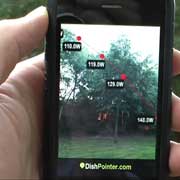
Watch this video, it’s very surreal. This is the next generation satellite finder: Point your iPhone anywhere towards the sky and see all the satellites lined up, on the live video screen! At a glance, you’ll see where the satellite is and whether any trees or buildings are blocking the line of sight. Think of multi-lnb dishes and now you know where to place your dish best. Doing a site survey and setting up a dish is going to be a piece of cake with this app. This is a truly useful augmented reality app for the professional and diy enthusiast alike. [Video]
DPMaps_teaser

DishPointer Maps (iPhone app)

Finally, the DishPointer Maps app has been released for the iPhone/iPod Touch. This dedicated app is a lot more convenient than opening dishpointer.com in the iPhone browser and a real time saver. Available immediately from the App Store.
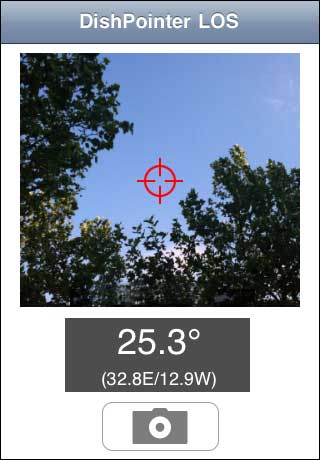
DishPointer Line of Sight App

DishPointer LOS (iPhone App)

Check out any line of sight issues with this iPhone App. Just point your iPhone at the sky, tilt it until you get the right angle and then switch on the the camera preview. If there is a clear sky right at the center of the screen, you’re good to go. Simple but very effective.[...]
DPCOMPASS_logo

DishPointer Compass (iPhone App)

We have released our first iPhone app: DishPointer Compass. Imagine you have a device in your hand which you can point in any direction and it tells you which satellite you would receive from that direction. This is exactly what DishPointer Compass does in connection with the new iPhone 3GS. Simple and very effective. Available on the App Store. [...]


droid The DishPointer Augmented Reality app for Android phones has been released. It works like on the iPhone. Just point it at the sky and see on the live camera screen all the satellite positions and the alignment details. You can easily determine any line of sight (LoS) issues and find the best spot for your dish.
You can get it either by searching for “DishPointer” on the Android market on your phone or by downloading it below and purchasing a license. Note that the app requires Android OS 1.5 and later, a camera, accelerometers (motion sensors) and a digital hardware compass.

How to buy it from this website:
DishPointer Pro QR Code
1. Download the app to your sd card and install it using an app installer (preferably, download the app directly from your phone using a barcode scanner)
Download link: DPARPRO.apk (v.1.6.1a)
2. Buy the license code using Paypal
Price: $19.99 USD
The username and license code will be displayed at the end of the purchasing process and also emailed to you.
3. Under settings, enter the username and serial number.
Notes: The app will not work until it is activated. You need internet access from your phone during activation. When you upgrade your phone or do a factory reset, please deinstall the license first from the settings. This way you can activate the app again on the new phone.
UPDATE: Also available for the ANDROID
Very surreal, this is the next generation satellite finder: Point your iPhone anywhere towards the sky and see all the satellites lined up, on the live video screen! At a glance, you’ll see where the satellite is and whether any trees or buildings are blocking the line of sight. Think of multi-lnb dishes and now you know where to place your dish best. Doing a site survey and setting up a dish is going to be a piece of cake with this app. This is a truly useful augmented reality app for the professional and diy enthusiast alike.
The app uses the gps, accelerometer, and the compass of the new iPhone 3GS. Just move the phone up and down and left and right and the satellite arc will follow the live video on the display. The compass has a bit of a lag though, so when doing quick sideways movements the satellite arc is trying to catch up but then settles to the correct position.
Expect this app to be released with the iPhone OS 3.1 update. In the meantime check out the other DishPointer apps.
Finally, the DishPointer Maps app has been released for the iPhone/iPod Touch. This dedicated app is a lot more convenient than opening dishpointer.com in the iPhone browser and a real time saver. Available immediately from the App Store.
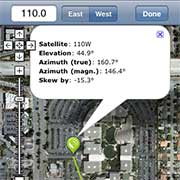
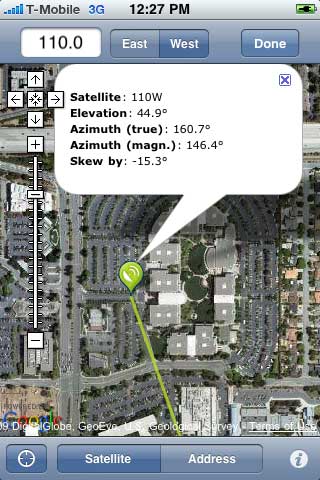
DishPointer Maps iPhone App Screenshot
DishPointer Maps iphone app screenshot
The features include:
  • Automatic location update: The app uses your location information (e.g. GPS) and opens the map right at that point. You can toggle this automatic location update by pressing the locator button at the bottom left.
  • Location search: You can manually search for any location by clicking the address button at the bottom and then either entering an address, zip code, post code, latitude and longitude in the address box. The map automatically zooms to that location and draws the lines.
  • Works with any satellite: Just enter the satellite position, select whether it’s east or west (e.g. 110 West) and press the Done button at the top right. The new alignment line is drawn automatically.
  • Map types: You can switch between different map types (standard, satellite, hybrid) by pressing the info button at the bottom right.
  • Alignment info: By tapping the marker, you’ll get alignment information such as true azimuth, magnetic azimuth (when using a compass) elevation, and skew angle of either the LNB or the dish. The skew angle gives BY how much you have to wheel it and is positive clockwise when standing behind the dish.
  • Gestures enabled: You can tap and drag the marker to any location on the map. For zooming you can use pinch gestures, double tap, or the zoom controls.
This makes it really easy for aligning any satellite dish. If you use dishpointer.com a lot, then get this app now by clicking here.
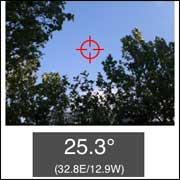
Check out any line of sight issues with this iPhone App. Just point your iPhone at the sky, tilt it until you get the right angle and then switch on the the camera preview. If there is a clear sky right at the center of the screen, you’re good to go. Simple but very effective.
DishPointer Line of Sight Screenshot
This is how to use it:
  • Once you know if in which direction to point the dish (see the DishPointer Maps or DishPointer Compass iPhone apps), hold your iphone up with the camera facing the sky. The angle at which you’re holding it is displayed on the screen. In addition, the two satellite positions which have this elevation at your location is given.
  • After you’ve found the right angle, hold the iPhone still and tap the camera button and focus at the center of the screen. In the camera preview, if there are no obstacles at the center of the screen, there are no line of sight issues. If there is a tree or a building, you will need to find another location for your dish.
  • If you wish, you can then take a picture and a target cross is overlayed at the center to verify clear line of sight to the satellite.
You can get this and other DishPointer iPhone apps from the App Store.
We have released our first iPhone app: DishPointer Compass. Imagine you have a device in your hand which you can point in any direction and it tells you which satellite you would receive from that direction. This is exactly what DishPointer Compass does in connection with the new iPhone 3GS. Simple and very effective. Available on the App Store.
DishPointer Compass iPhone App Screenshot
DishPointer Compass iPhone app screenshot
This is how it works: The new iPhone 3GS has an inbuilt magnetometer, i.e. a compass. The app uses the compass bearings together with your location information (remember, satellite pointing angles are different for different locations on the planet) obtained through GPS/WiFi/Cell network and computes the satellite position at which the iPhone points.
The app has been developed for maximum ease of use and speed, no nonsense features and gimmicks. Just switch it on, wait till it locks to your current location and then spin it around. All satellite positions with positive elevation angles will be displayed on the screen, one by one, e.g. 110W for 110 West DirecTV, 13E for Hotbird, 19.2E for Astra, 42E for Turksat etc.. you get the point. If there is no satellite in that direction, it will tell you so.
Some additional info: The inbuilt magnetometer is very sensitive to electro-magnetic interferences. So make sure you keep the iPhone away from any other electrical devices, metals and magnets. Your current location (latitude and longitude) is displayed at the bottom left of the screen, and the current true compass bearing is displayed at the bottom right. This is for you so that you can double check the output if you wish to do so.
You can get the DishPointer Compass iPhone app by clicking here.
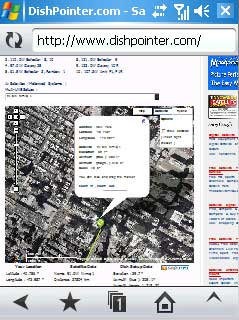
Opera Mobile 9.5 and DishPointer Opera Mobile 9.5 Beta is out and you should put it on your PocketPC PDA/Handheld running Windows Mobile 5 or 6 now.
Why? It’s the only browser for mobile handhelds which fully supports Javascript and Ajax – and that’s required to show Google Maps applications such as DishPointer. The only other alternative for using DishPointer on the go would be Apple’s iPhone or iTouch.
The Opera Mobile 9.5 browser is still beta, so install it onto the device memory rather than on a storage card. But the good thing is, because it’s beta – it’s free! So download now while you can. The older version 8.65 comes only as a 30 day trial and costs $24.
Only Pocket PC’s running WM 5 or WM6 are supported. The new Opera will not work on Pocket PC 2003, Symbian, S60 and Smartphones
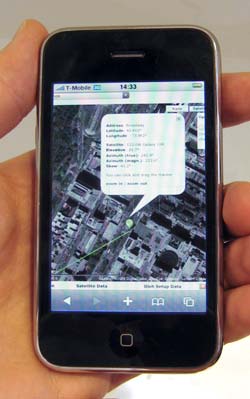
Apple IPhone 3G I had my hands on Apple’s new 3G iPhone today and did some dish pointing tests with it. I must say it works brilliantly. First, DishPointer loads up pretty fast on the 3G iPhone – providing you have the right (and unlimited) data tariff with your provider. Then all the DishPointer functions work as they should be, e.g. the map loads up, you can enter your address, the line is drawn, you can zoom in and out, etc. Just dragging the marker doesn’t work as the Iphone starts moving the whole page around. But I’ll see if there is a workaround for this.
Anyone who counts himself lucky to own this great iPhone 3G can use it now as a mobile satellite finder. I can see this being very usefull in particular for satellite installers and mobile uplink operators.
The disadvantage is that the IPhone is a bit pricey. And currently there are not many alternatives to run DishPointer on a handheld/PDA as most of the mobile browsers don’t support all the Javascript and Ajax functions to make the map work. But that’s maybe about to change as the new Opera Mobile 9.5 browser promises many new features – we will see when it comes out this month.
There is a short news article about DishPointer in this months What Satellite and Digital TV print magazine (United Kingdom).
The german Infosat magazine has a two-page article about DishPointer in their current issue, July 2008, No. 244.
In the article titled “DishPointer – Clevere Ausrichtung per Internet” the author Herbert Bisges describes in simple terms how to use DishPointer in order to align a satellite dish and gives a thumbs up to DishPointer – thanks Herbert!
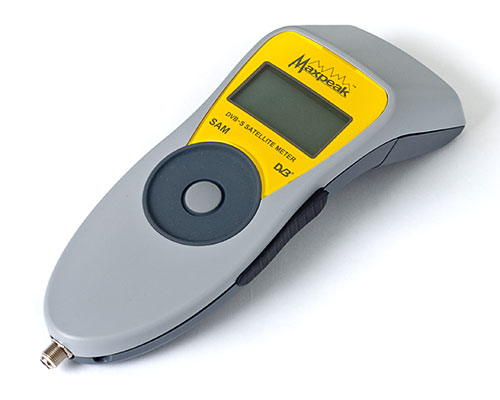
There is an independent review of the MaxPeak digital satellite meters on Dr. Dish TV (DrDish Magazine – 07/2008). The review starts about a third into the programme, just after a short talk with Polytron, the distributor of the MaxPeak meters in Germany. The meter gets full marks and the “Tested and Recommended Award” from Dr.Dish.
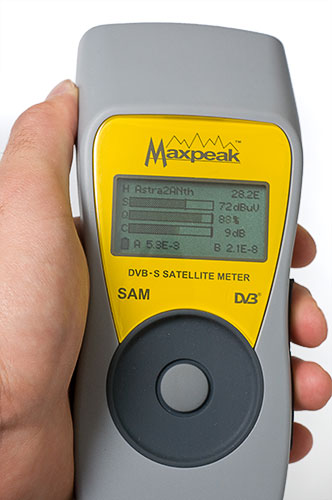
MaxPeak Digital Satellite Meter 2
I’ve been using the MaxPeak Satellite Meter (SAM) for over a week now and have done two satellite installations with it. With both installations, finding the satellite and fine-tuning the alignment took about 2-3 minutes:
After looking up the location on DishPointer and noting down the elevation, skew and a visual clue on the alignment line, all I had to do is to set the elevation and the skew of the dish, and then point the dish straight at the landmark. The meter immediately locked on to the satellite (the speed at which the MaxPeak meter locks on to the satellite is amazing) and gave me the signal strength, signal quality and signal error (pre BER and post BER) readings – see image below.
MaxPeak Digital Satellite Meter 2

By moving the dish very slightly left/right and up/down I could maximize the signal quality bar and minimize the error reading. And that was it actually, I’ve never done an installation faster and more accurate than this.


Enhanced by Zemanta

LG OLED evo M5, the Only True Wireless OLED TV With G5’s Excellence in Picture Quality.

  With Uncompromised, Low-Lag Performance at 4K 144Hz, LG’s Advanced Wireless Technology Sets a New Standard for Clutter-Free Gaming and Hom...

Popular Posts